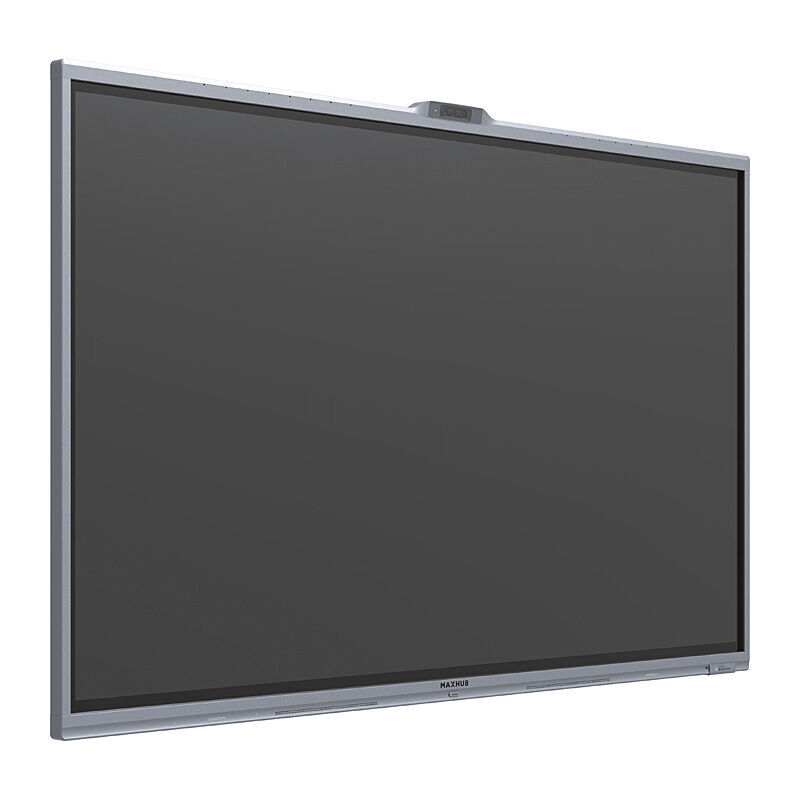
MAXHUB Xboard V7 MTR 75''
SKU: V755T
Monitors Digital Signage
$11004.00
AUD inc. GST
✓ In Stock (4 available)
| Brand | Maxhub |
| Weight | 0.06 kg |
Product Description
MAXHUB Xboard V7 MTR 75''
Features
Professional 4K Display – High color accuracy, wide color gamut, NTSC 90%; non-glare technology with 25% haze
Seamless Collaboration – Built-in touch display and Microsoft Whiteboard for real-time collaboration
Triple-Camera System – Equipped with one wide-view lens and two tele-view lenses to provide clear views for all room participants
AI-Powered Video Technology – Auto Framing, Speaker Tracking, Multi-Speaker Tracking, Intelligent Focus
Premium Audio – Built-in 16 beamforming microphone array, Built-in stereo speakers, AI-powered noise reduction, full-duplex communication
Flexible Content Share – Wired 4K content share via HDMI In; wireless content share via wireless dongle or MAXHUB Share application
BYOD – BYOD mode with plug and play accessibility for switching between Teams Rooms mode and BYOD mode
Pivot Secured and Managed – Win 11 IoT SAC with MAXHUB Pivot supported
Specifications
Display
Model V7555T
Screen Size (Inch) 75
Aspect Ratio 16:9
Panel VA
Backlight DLED
Brightness (Typ.) 350 nits
Glass Zero parallax 3 mm thickness 9H Tempered
Surface Technology 25% haze Non-glare technology
Resolution 3840 × 2160
Refresh Rate 60 Hz
Contrast Ratio 1200:1 (typ.)
Viewing Angle (H × V) 178° / 178°
Color Gamut 90% NTSC
Display Orientation Landscape
Response Time 8 ms
Life Time > 50,000 hours
Operation Hours (Hours / Day) 16 / 7
Display Color 1.07 B (10 bit)
Color Accuracy Delta E ≤ 1.5
Sensor Ambient light sensor Motion Sensor
Pixel Pitch 0.42975 (H) × 0.42975 (V) mm / 0.0169 (H) × 0.0169 (V) inch
Display Area 1650.24 (H) × 928.26 (V) mm / 64.97 (H) × 36.55 (V) inch
Connectivity
I/O Ports (Interactive Display)
HDMI In (2.0) × 2 To connect an external source (disabled as default, and can be enabled on MAXHUB Align app.)
USB-A (2.0) × 1 To pair with wireless dongle-WT13M/ WT13S To connect keyboards or mouse, etc.
Touch (USB-B 2.0) × 1 To connect a personal laptop to access to XBoard's camera & microphone and get touch back (disabled as default, and can be enabled on MAXHUB Align app.)
Audio In × 1 To connect an external audio source to make XBoard a speaker
Audio Out × 1 3.5 mm mini-jack, to connect an external speaker system
RS232 × 1 9 pin
Mic In (RJ45) × 1 To connect up to a maximum of three UC BM45 as expansion speakerphones
Wireless Access Point Yes (for wireless presentation)
Camera
Wide Camera 50MP × 1 DFOV 99°, HFOV 86°
Telephoto Camera 50MP × 2 DFOV 68° (combined), HFOV 63° (combined)
Zoom 5x hybrid zoom
Privacy Shutter Yes
AI Features
Auto Framing
Speaker Tracking
Multiple-speaker Tracking
Intelligent Focus
Microphone
Quantity 16-mic array
Pick-up Angle 180°
Pick-up Range Best distance – 8 m / 26.2 ft Maximum distance - 15 m / 49.2 ft
Feature Intelligent audio fence AI spatial sound AEC (Auto echo cancellation) ANC (AI noise cancellation) AGC (Auto gain control)
Audio
Sound Channel 2.1
Speaker Power 2×10W + 20W
Power
Power Supply 100-240V ~ 50/60 Hz
Standby Power ≤ 0.5 W
Power Consumption (Typ.) 155 W
Power Consumption (Max.) 390 W
Touch System
Touch Technology Intelligent Touchscreen Technology (infrared recognition)
Touch Point 50 points touch
Object Recognition Range ≥ 1.5 mm
Accuracy ± 0.5 mm
Response Time ≤ 2.5 ms
Writing Height ≤ 1 m
Environmental Condition
Operating Temperature 0°C~40°C
Storage Temperature -20°C~60°C
Operating Humidity 10%~90% RH
Storage Humidity 10%~90% RH
Altitude Below 5000 meters
Accessory (Included in the Package)
Wireless Module AP
HDMI Cable (3 m / 9.8 ft ) × 1
Power Cord × 1
Passive Stylus × 2
Wall Mounts Kits × 1
Certification
Safety IEC 62368-1
EMC Class B
Warranty
3-Year warranty
Physical Specification
Dimension (W × H × D) 1709.4 × 1040.3 × 90 mm / 67.3 × 40.96 × 3.54 inch
Shipping Dimension (W × H × D) 1863 × 1140 × 225 mm / 73.35 × 44.89 × 8.86 inch
Thickness of Machine and Wall Mount 117 mm / 4.61 inch
Wall-hanging Screw Spec M8 × 25 mm
VESA 800 × 400 mm / 31.5 × 15.8 inch
Net Weight 48 kg / 105.82 lbs
Gross Weight 63 kg / 138.89 lbs
PC Module (Slot-in)
CPU 12th gen Intel Core i5 – 1240p
GPU Intel® Iris® Xe Graphics eligible
Memory 16GB DDR4 (8GB ×2)
Storage 256GB SSD (M.2)
Operating System Windows11 IOT
TPM 2.0 Yes
Input & Output
USB-A (3.0) ×3
HDMI In (2.0) ×1 (For content share in Teams rooms mode, up to 4K resolution on local room display)
HDMI Out × 2 (Without actual function currently, hardware reserved for possible future use)
RJ45 × 1 (Ethernet)
RJ45 × 1 (For optional touch console - TCP33T (available in early Q3 2025)
Wi-Fi Wi-Fi 6
Bluetooth Bluetooth 5.1
Accessory (Optional)
Mobile Stand ST33M / ST23G
Expansion Speakerphone UC BM45
Wireless Share Dongle WT13M / WT13S
Touch Console TCP33T (Available in Q3 2025)