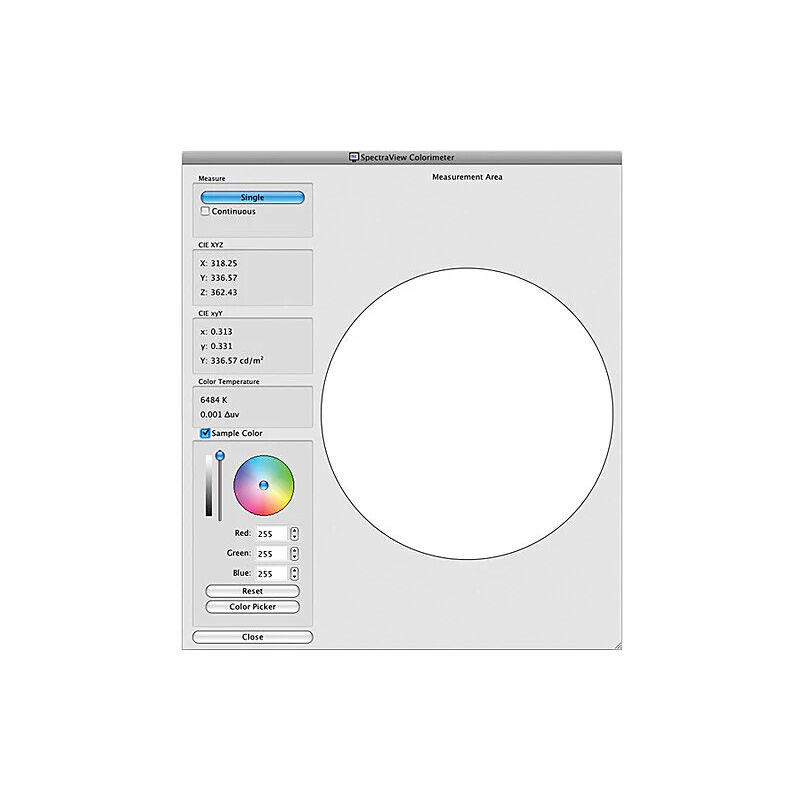
SHARP SpectraView Software
SKU: SpectraView II
Software Software
$170.50
AUD inc. GST
Out of Stock — available to order
| Brand | Sharp |
Product Description
SHARP Callibration and colour management software V1.1.20 on USB stick MAC OS, WS & Linux supported
Features
Automatic calibration - SpectraView communicates with the display monitors using Display Data Channel - Command Interface (DDC/CI) which is a two-way communications link between the video graphics adapter and display monitor using the normal video signal cable. No extra cables are necessary. All adjustments to the monitor settings are done automatically using this communications link. A USB connection between the host PC and display can also be used if supported (supported models only, refer to the “USB control” column in the “Features by Model” tables on page 58 and page 60 for the specific capabilities of each display model). It is not necessary to manually configure the monitor as all of the necessary settings are made by the software.
High bit depth internal Look Up Tables (LUTs) - Each LCD display monitor supported by SpectraView II features three internal 10, 12, or 14 bit LUTs (depending on the model). These tables allow very precise adjustments to be made to the display’s Tone Response Curve without reducing the number of displayable colors or introducing color banding artifacts.
Multiple Calibration Sets - Different display monitor calibrations can be instantly loaded allowing quick and easy switching between different calibration settings without the need to re-calibrate the display. Each time a calibration set is loaded, the necessary monitor settings and ICC/ColorSync profiles are automatically updated.
Informative - At the end of each display monitor calibration, an information window is displayed which shows the results of the calibration and includes a wealth of information about the display such as the measured color gamut, grayscale color tracking, Delta-E, and luminance values. Additional information about the display monitor such as the model name, serial number and the total number of hours that it has been in use are also displayed.
Calibration status validation - SpectraView will query each calibrated monitor to see if any controls have changed since the last calibration. If anything has changed, the previous calibrated state can be restored automatically.
Flexible - SpectraView provides many features and options that make it flexible enough to be used in a large variety of applications, including full DICOM support for medical imaging. The display luminance can be adjusted to either a specific value or to the maximum possible that the display can achieve.
Monitor locking - Once calibrated the OSD (On Screen Display) controls for the display monitors can be locked to prevent accidental or unauthorized adjustment which may invalidate the calibrated state of the monitor.
Monitor Profiling - After calibration, the display is automatically profiled and highly accurate ICC/ColorSync color profiles are generated and automatically registered with the Color Management System. These profiles use the Bradford Chromaticity Adaptation matrix.
Colorimeter function - The software features a Colorimeter function which allows direct measurements to be taken by the color sensor and the results displayed in a variety of different formats.
Ambient Light Measurement function - Allows measurements to be taken of the ambient light of the viewing environment surrounding the display monitor. This is useful in determining the optimal viewing conditions for the display monitor so that the ambient light level and color do not influence the viewing of images on the screen